
BMW 7 Series: Controls
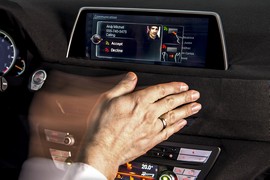 This chapter provides a thorough examination of the interior features of the car. It includes a broad range of functions and features intended to improve comfort, convenience, and safety while driving.
This chapter contains information about the cruise control, audio, and driver assistance functions that can be operated via the steering wheel. The infotainment system—which includes media playback, Bluetooth connectivity, navigation, and customization options—is also covered.
The technical fundamentals of climate control, including air distribution, temperature adjustment, and features like heated seats, are covered in detail in this chapter. In addition, it offers information on how to alter the instrument cluster, lighting and visibility, seat and mirror positions, general vehicle settings like firmware updates and language preferences, and driver assistance features like lane-keeping aid and adaptive cruise control.
- Cockpit
- Operating state of the vehicle
- iDrive
- Operating concept
- Status information
- Control Display and Controller
- Operating via the Controller
- Operation via touchpad
- Voice activation system
- Voice activation system- Possible commands
- Voice activation system- Adjusting
- Voice activation system- Amazon Alexa Car Integration
- BMW Intelligent Personal Assistant
- BMW Intelligent Personal Assistant- Functions
- BMW Gesture Control
- BMW Touch Command
- BMW Remote Software Upgrade
- General settings
- Personal settings
- Data protection
- Driver profiles
- Driver profiles- Guest profile
- Driver profiles- Setting up a PIN
- Driver profiles- Renaming a driver profile
- Connections
- Connecting mobile devices to the vehicle
- Bluetooth connection
- USB connection
- Apple CarPlay preparation
- Screen Mirroring
- Opening and closing
- Vehicle key
- Vehicle key- Unlocking
- Vehicle key- Trunk lid
- Vehicle key- Malfunction
- BMW display key
- BMW display key- Display
- BMW display key- Display key battery
- BMW display key- Malfunction
- Integrated key
- Comfort Access
- Comfort Access- Convenient closing
- Comfort Access- Touchless unlocking and locking of the vehicle
- Trunk lid
- Valet parking mode
- Adjusting
- Alarm system
- Power windows
- Rear window roller sunblind
- Roller sunblinds, rear side windows
- Glass sunroof- Functional requirements
- Glass sunroof- Jam protection system
- Seats, mirrors, and steering wheel
- Sitting safely
- Front seats- Lumbar support
- Rear seats
- Rear seats- Lumbar support
- Safety belts
- Safety belts- Correct use of safety belts
- Front head restraints
- Rear head restraints
- Exterior mirrors
- Steering wheel
- Memory function
- Executive Lounge Seating
- Massage function
- Seat and armrest heating
- Active seat ventilation
- Transporting children safely
- The right place for children
- Installing child restraint systems
- LATCH child restraint fixing system
- Child restraint systems with tether strap
- Driving
- Start/Stop button
- Auto Start/Stop function
- Auto Start/Stop function- Starting the engine
- Driving Dynamics Control
- Parking brake
- Parking brake- Automatic Hold
- Turn signal
- Wiper system
- Wiper system- Windshield washer system
- Steptronic transmission
- Steptronic transmission- Engaging selector lever positions
- Steptronic transmission- Manual mode M/S
- Steptronic transmission- Launch Control
- Displays
- Instrument cluster
- Assisted Driving View
- Widgets in the instrument cluster
- Check Control
- Indicator/warning lights
- Indicator/warning lights- Yellow lights
- Indicator/warning lights- Green lights
- Indicator/warning lights- Blue lights
- Fuel gauge
- Range
- Speed Limit Info
- Trip data
- Head-up Display
- Lights
- Lights and lighting
- Pathway lighting
- High-beam Assistant
- Laser high beams
- Ambient light
- Ambient highlight
- Safety
- Airbags
- Airbags- Protective effect
- Automatic deactivation of the front-seat passenger airbags
- Intelligent Safety
- Front collision mitigation
- Front collision mitigation- Switching on/off
- Front collision mitigation- System limits
- Evasion Assistant
- Evasion Assistant- Warning with evasion support
- Intersection collision warning
- Intersection collision warning- Switching on/off
- Intersection collision warning- System limits
- Person warning with City braking function
- Person warning with City braking function- Switching on/off
- Night Vision with pedestrian and animal detection
- Night Vision with pedestrian and animal detection- Warning function
- Lane departure warning
- Lane departure warning- Warning function
- Blind spot collision warning
- Blind spot collision warning- Warning function
- Side collision mitigation
- Side collision mitigation- Switching on/off
- Rear collision preparation
- If equipped with Equipment Stop Assistant
- BMW Drive Recorder
- Active Protection
- PostCrash - iBrake
- Driving stability control systems
- Driver assistance systems
- Speed Limiter
- Cruise control
- Active Cruise Control with Stop & Go function ACC
- Active Cruise Control with Stop & Go function ACC- Overview
- Active Cruise Control with Stop & Go function ACC- Setting the speed
- Active Cruise Control with Stop & Go function ACC- Changing between cruise control with/without distance control
- Active Cruise Control with Stop & Go function ACC- Displays in the Head-up Display
- Speed Limit Assist
- Steering and traffic jam assistant
- Steering and traffic jam assistant- Switching on/off
- Steering and traffic jam assistant- Symbol/ Description
- Steering and traffic jam assistant- Displays in the instrument cluster
- Steering and traffic jam assistant- Displays in the instrument cluster
- PDC Park Distance Control
- PDC Park Distance Control- Warning
- PDC Park Distance Control- System limits
- Without Surround View: rearview camera
- With Parking Assistant Plus: Surround View
- With Parking Assistant Plus: Surround View- Display on the Control Display
- With Parking Assistant Plus: Surround View- Panorama View
- With Parking Assistant Plus: Surround View- With navigation system: activation points
- With Parking Assistant Plus: Remote 3D View
- With Parking Assistant: Parking Assistant
- With Parking Assistant: Parking Assistant- Switching on and activating
- With Parking Assistant: Parking Assistant- Driving out of a parking space using the parking assistant
- With Parking Assistant: Reversing Assistant
- Remote Control Parking
- Remote Control Parking- Forward parking
- Remote Control Parking- System limits
- Cross traffic warning
- Cross traffic warning- Warning
- Driving comfort
- Climate control
- Automatic climate control
- Automatic climate control- Air conditioning
- Automatic climate control- SYNC program
- Ventilation
- Rear automatic climate control
- Parked-car ventilation
- Stationary climate control through Remote Engine Start
- Stationary climate control through Remote Engine Start- Climatization for the requested departure time
- Ambient air package
- Ambient air package- Inserting fragrance cartridges
- Interior equipment
- Integrated Universal Remote Control
- Integrated Universal Remote Control- Reprogramming individual buttons
- Sockets
- USB port
- Wireless charging tray
- Wireless charging tray- Forgotten warning
- Folding table in the rear
- Storage compartments
- Cargo area
READ NEXT:
 In the vicinity of the steering wheel
Vehicle features and options
This chapter describes all standard, country-specific
and optional features offered with the series.
It also describes features and functions that are
not necessarily ava
In the vicinity of the center console
Control Display
Ventilation
Hazard warning system
Intelligent Safety
Glove compartment
Radio/multimedia, see Owner's Manual for
Navigation, Entertainment, and Communication
Automatic clima
SEE MORE:
Technical Information
Not only does the Universal Bluetooth Hands-Free System offer a means to
wirelessly integrate a mobile
phone into the vehicle, it also can be diagnosed using the DISplus or GT1.
The control module should always be coded to the specific vehicle that it is
installed into to ensure optimum
system pe
Replacing Gas Cartridge For Crash-Active Headrest On Left Or Right (From
09/2010)
WARNING: Read and comply with SAFETY REGULATIONS for handling airbag
modules and pyrotechnical belt tensioners.
Incorrect handling may result in triggering of the crash-active headrest
and thereby cause injury.
Switch off the ignition!
Necessary preliminary tasks:
Disconnect BATTERY NEGATIVE CABL
