
BMW 7 Series: Removing And Installing Door
IMPORTANT: Do not damage adjoining body parts.
The illustrations are schematic representations and are to be applied to the relevant vehicle type.
Open door.
Release screw on connector frame.
Front door: Tightening torque 41 51 4AZ.
Rear door: Tightening torque 41 52 4AZ.
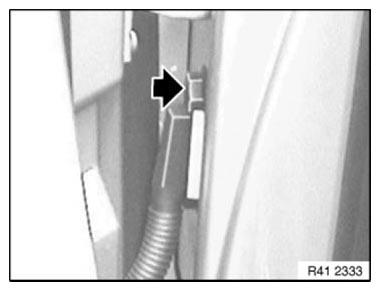
Fig. 402: Locating Screw On Connector Frame
NOTE: Secure door against closing.
Release screw (1) on door retainer.
Front door: Tightening torque 51 21 3AZ.
Rear door: Tightening torque 51 22 3AZ.
Open door up to stop.
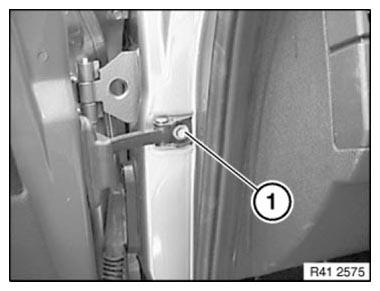
Fig. 403: Identifying Screw On Door Retainer
Release screws between both hinge elements at top and bottom.
Front door: Tightening torque 41 51 1AZ.
Rear door: Tightening torque 41 52 1AZ.
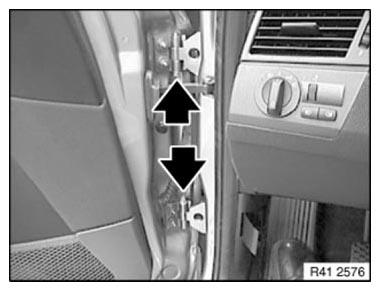
Fig. 404: Locating Hinge Elements
Pull plug connection from door pillar, unlock by pulling out bar and detach.
Unhinge door by moving upwards and placing it on a suitable surface.
Installation: If necessary, adjust DOOR.
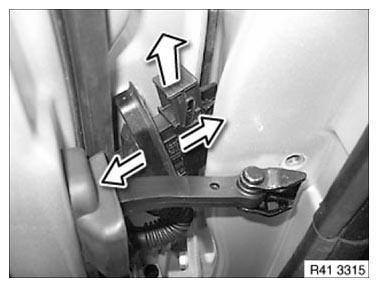
Fig. 405: Pulling Plug Connection From Door Pillar
READ NEXT:
 AFGS (Active Pedestrian Protection) Procedure After Accident
The AFGS system consists of the following components:
Satellites (control unit + sensor)
Sensors, inside, bumper trim, left/middle/right
ACSM control unit (Crash Safety Module)
Cables and c
Adjusting Engine Compartment Lid
IMPORTANT: The BATTERY NEGATIVE LEAD must be clamped off on vehicles with
AFGS
active pedestrian protection!
Do not damage adjoining body components!
Minor corrections (realignment work) are permitte
SEE MORE:
Danger Of Poisoning If Oil Is Ingested/Absorbed Through The Skin
Danger of poisoning!
Ingesting oil or absorbing through the skin may cause poisoning!
Possible symptoms are:
Headaches
Dizziness
Stomach aches
Vomiting
Diarrhoea
Cramps/fits
Unconsciousness
Protective measures/rules of conduct
Pour oil only into appropriately marked containers
Do not pou
Stabilizer Bar
REMOVING AND INSTALLING/REPLACING ANTI-ROLL BAR LINK (STABILIZER
LINK) FOR LEFT/RIGHT STABILIZER
IMPORTANT: Observe SAFETY INSTRUCTIONS for raising the vehicle
Unscrew nuts (1).
Remove anti-roll bar link (2).
Installation note:
Replace self-locking nut.
Tightening torque 31 35 2AZ.
Fig. 79: Iden
